Wrangle Node Example — Fizz Buzz
A popular programming example is Fizz Buzz. Since I assign this in two of my courses — one using hscript and the other C++ — I will not show those solutions, however I thought it would be fun to replicate it using a point wrangle node. The hscript version can be completed in 3 nodes; here I have a few other nodes.
This is for those of you who are learning vex snippets in wrangle nodes.
For those who have not heard of Fizz Buzz, it is described on Wikipedia as a children's game and by some as a drinking game. It is also a very popular interview test.
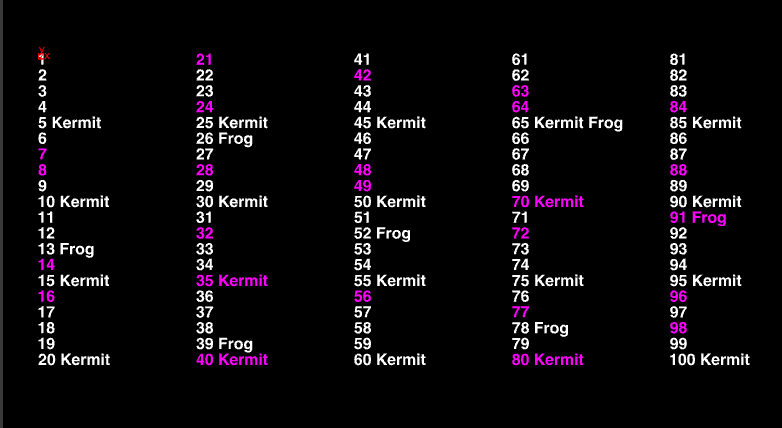
- Print a table of 1 to 100 in columns of 20
- If multiples of 5, print Kermit
- If multiples of 13, print Frog
- If multiples of both, print Kermit Frog
- If multiples of 7 or 8, color magenta
The network for the solution with a point wrangle node (which may look different from your hscript solution):
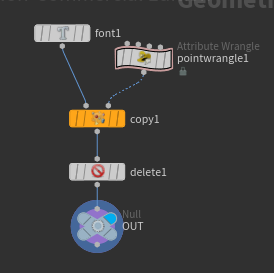
Focusing on the point wrangle to provide the attributes required:
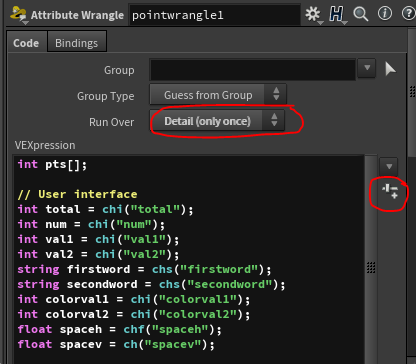
Detail (only once) rather than points means the code will be executed once instead of the default which iterates over all points.
The icon that looks like a slider creates parameters on the node for user input. You can use the various types by specifying chi for integer, chf for float, chramp for ramp, etc.
The pts[] is a list of the points and we will be associating attributes with each point — these can be seen in the geometry spreadsheet.
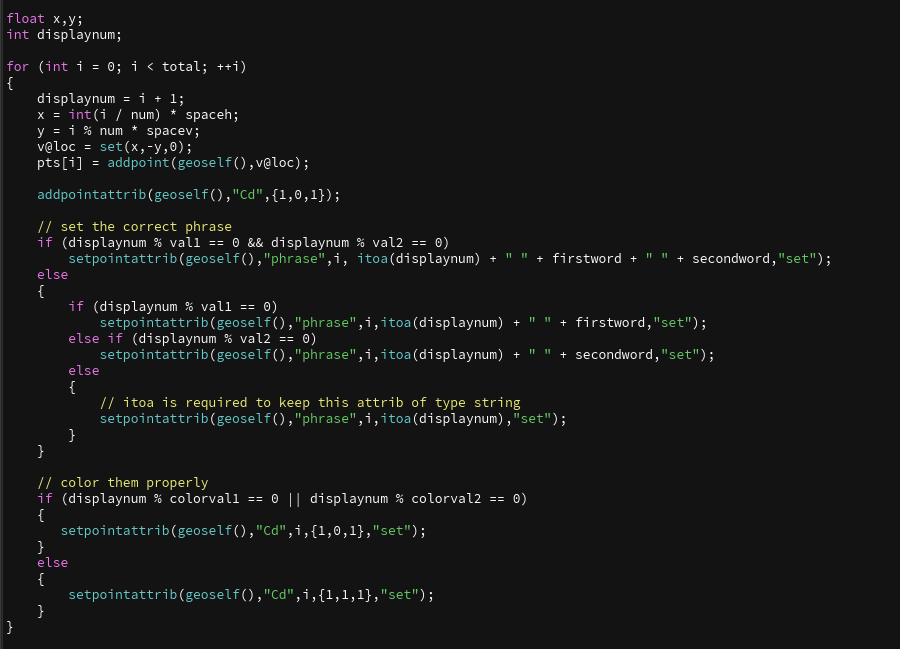
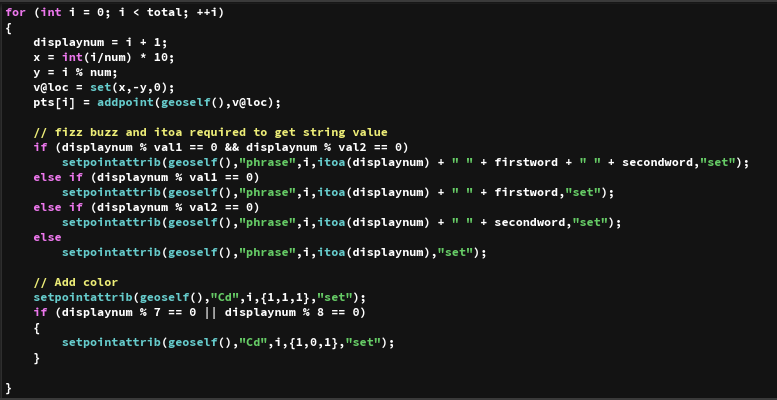
Next we iterate or "loop" through the points using a for loop and add the attributes associated with each point for position, phrase, and color:
On the copy node, keep these attributes by:
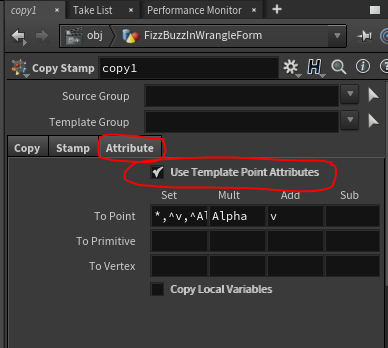
- Going to the Attribute tab in the copy node
- Checking the box Use Template Point Attributes
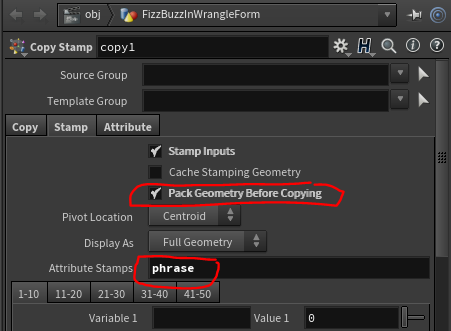
In the Stamp tab set the Attribute Stamps to phrase, which contains the phrase needed in the font node. Also check Pack Geometry so that only one packed geo is copied to the points.
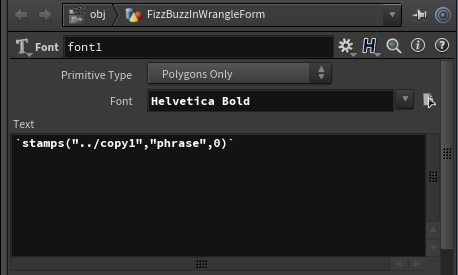
Use the stamps function to return a string and backticks to convert to string type:
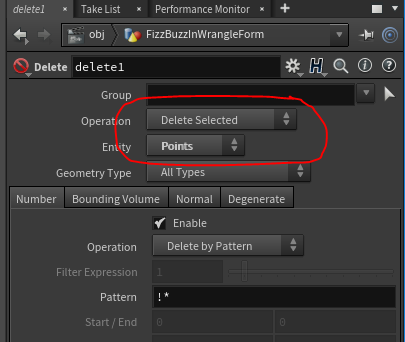
The delete node is required so that the points are not displayed.
The Null node is added as good practice in Houdini to delineate the bottom of your network for reference in other nodes.
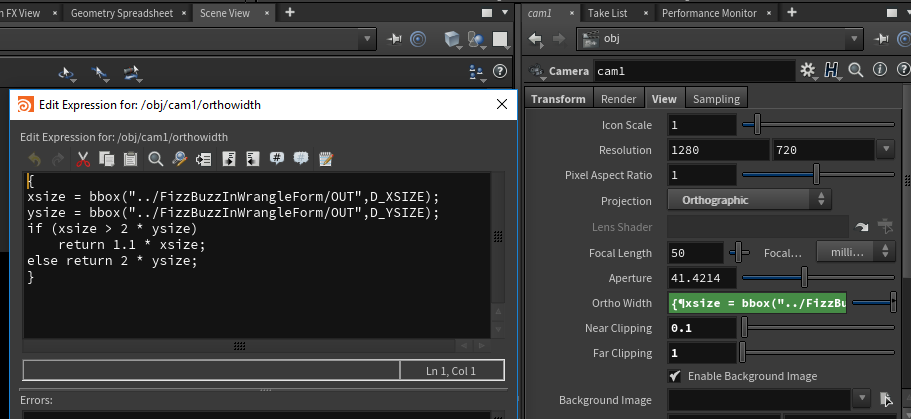
Here the bbox values are referenced in the camera so that if other tables of numbers are created the camera will adjust automatically. There are similar expressions in the Transform x and y to center the table.