Wobble Wheels
Created in Houdini 19.5.303 LC using a dot product similar to my example for the "Dot Product Follow"
Also on youtube at https://www.youtube.com/shorts/3Dav0Bot2ck
The solution to the problem is directly a result of the dot product.
Given two vectors defined by two points (these can be in any
direction, I created one with z being my horizontal and y being my
vertical) z0,y0 and z1,y1 find the angle
In this situation, the box is pivoting from a value that is (0,-.2,0) so I can use that as my (0,-.2) and my z0,y0 for my calculations.
Below in the comments you will see the two vectors defined and a simple dot product to find the resulting angle:
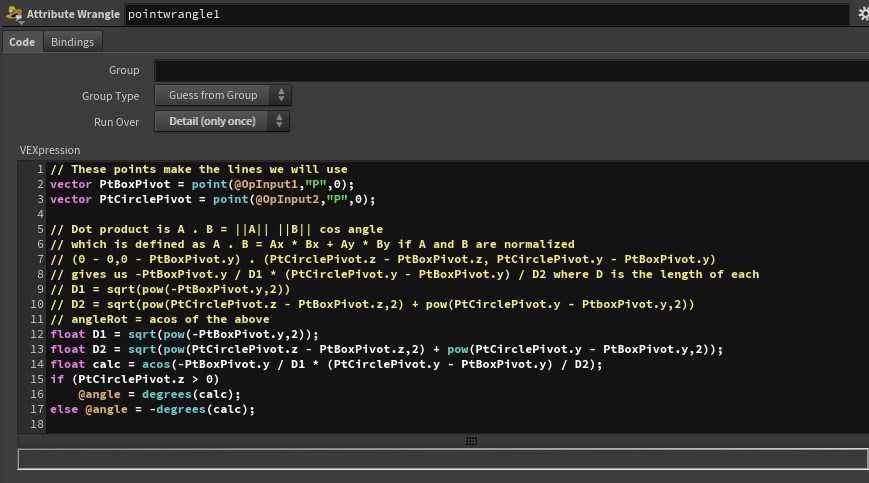
Note that anytime you need to do calculations you can use a wrangle node. It does not have to be attached in the network, just referenced by it.
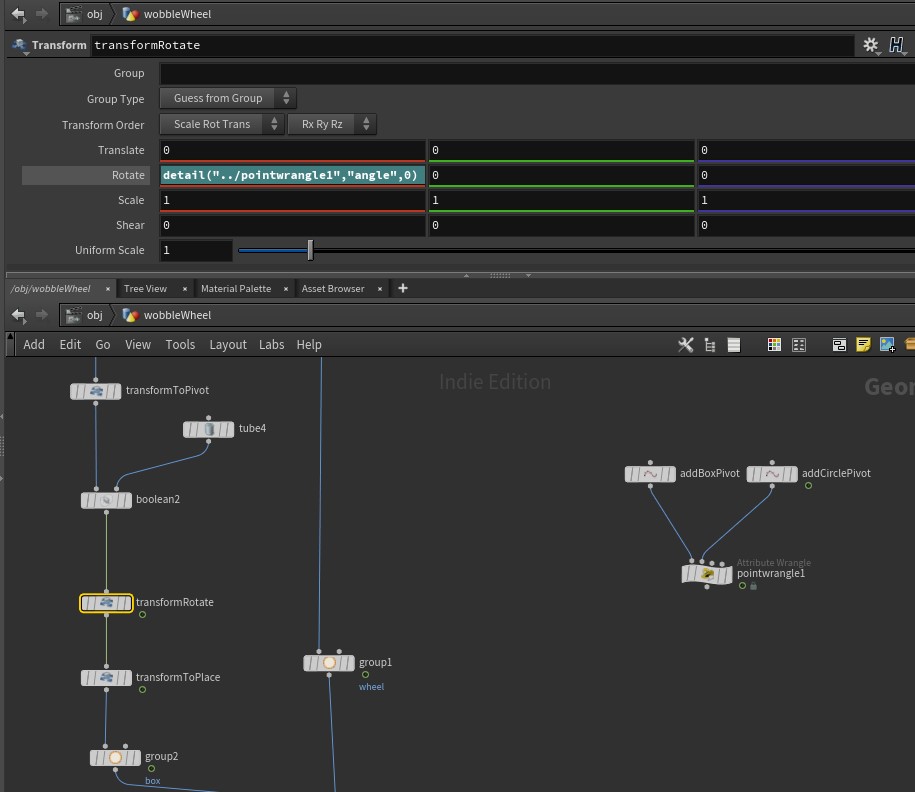
I prefer the method of
- transforming my geometry to the Pivot (transformToPivot) so that I can physically see what I am doing. You can also move pivot points.
- Then transformRotate references the pointwrangle1 node with the code to easily calculate the dot product between the vectors.
- Finally transformToPlace puts the geometry in the position that you want it to be in.
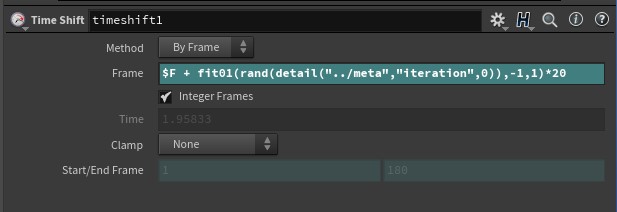
I also added some randomness to the row of wobble wheels by using a timeshift node and accessing the "copy number" or "iteration" number by using a detail function to retreive it from the for-each "meta" node.